QR Code Payments for Service Businesses (Full Guide)
 Pay on QR
·
·
7 min read
Pay on QR
·
·
7 min read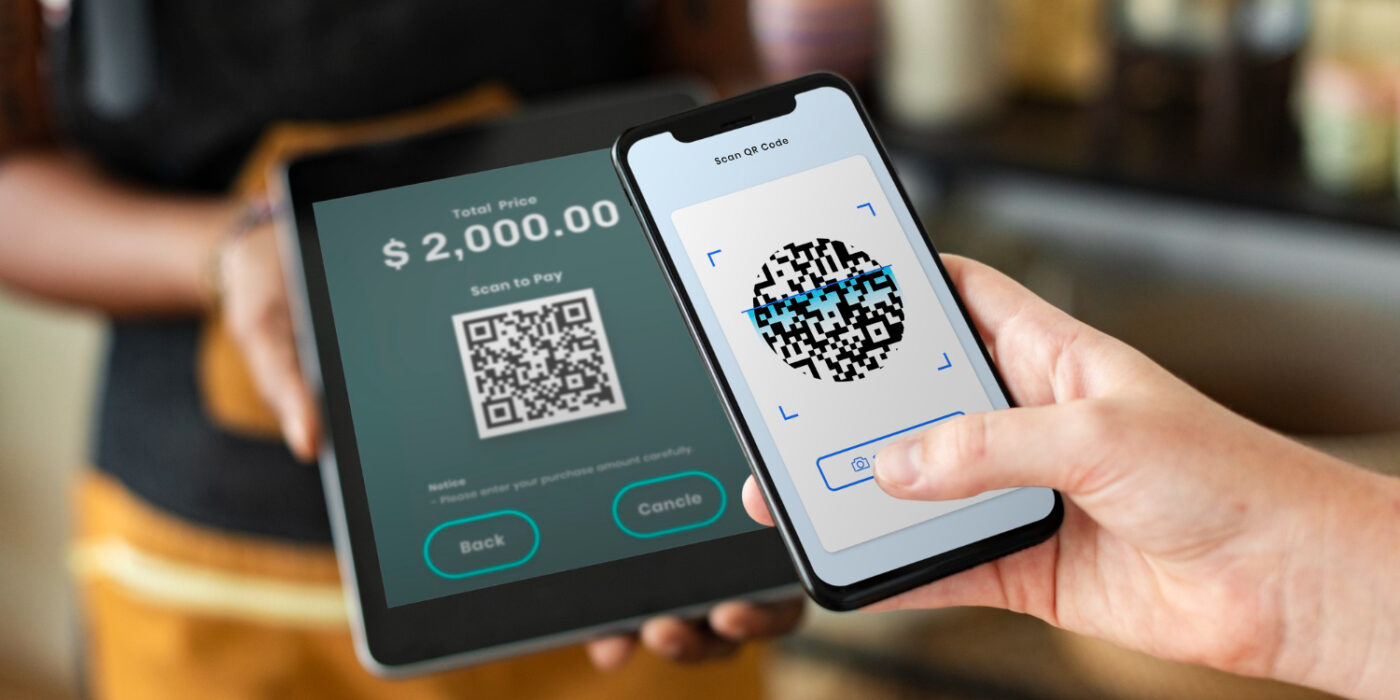
Most advice about accepting card payments starts with the same assumption: you’re standing at a counter, the customer is in front of you, and all you need is a faster way to tap a card. That assumption doesn’t hold for a lot of service businesses. QR Code Payments for Service businesses solve a different problem – getting paid when there’s no counter, no fixed shift, and often no customer standing there at all.
If you run a tattoo studio, a driving school, a photography business, or a physiotherapy practice, the moments when money actually changes hands rarely look like a retail transaction. A terminal was built for that retail moment. It wasn’t built for yours.
The Terminal Problem for Service Businesses
A card terminal solves exactly one problem: taking payment from someone standing in front of you, right now. For a shop with a till, that’s the whole job. For a service business, it’s only a fraction of it.
Terminals cost money upfront, need charging, and sit unused between appointments. Worse, they assume the client is physically present at the exact moment payment is due – which, for appointment-based and project-based work, is often not true. The client may be at home reviewing a quote, on the phone booking a slot weeks out, or already walking out the door before the invoice is settled.
How QR Code Payments Work, Briefly
The mechanics are simple: you enter an amount, a QR Code Payments for Service appears on your phone or tablet, the client scans it with their own phone camera, and they pay by card, Apple Pay, or Google Pay directly in the browser – no app, no account, no hardware to carry. We cover the full step-by-step flow in our guide to QR code payments; here, the focus is on why this matters specifically for service-based businesses.
Three Moments a Terminal Can’t Help You Get Paid
There are three recurring situations where a physical terminal is either irrelevant or actively unhelpful – and where QR code payments for service businesses actually earn their keep.
1. The Job Is Done, But the Client Has No Cash
You finish a house call, a repair, or a session, and the client reaches for a card – except the terminal is back at the office, or it never left the shelf because you don’t run one for a two-visits-a-week schedule. A QR code costs nothing to have ready. It lives on a printed card, a laminated sheet, or your phone screen, and it works the moment you need it.
2. A Deposit Before the Client Ever Shows Up
Tattoo artists, photographers, and caterers already know this pain: a booking gets made, and then the client doesn’t show, or cancels an hour before. A deposit collected at the time of booking changes that math – and it doesn’t require the client to be anywhere near a terminal, because the booking itself usually happens by phone, direct message, or email.
3. The Client Isn’t Even In Front of You
A quote sent over the phone, an order taken in a direct message, an invoice for work already delivered – none of these involve a customer standing at a counter. This is a payment link, not a point of sale, and it’s the one case where a terminal was never in the running to begin with.
Why Deposits Work: The Data
The case for collecting money earlier isn’t just intuition. According to Acuity Scheduling data compiled in SchedulingKit’s appointment deposit research, businesses that require a deposit see an average 55% reduction in no-shows compared to those that don’t. For a service business booked days or weeks in advance, that’s the difference between an empty slot and a paid one.
QR code payments for service businesses make that deposit step painless: send a code or a link at the time of booking, and the payment is collected before the appointment ever gets a chance to fall through. For general background on how QR-based payment works across industries, the US Chamber of Commerce’s guide to QR Code Payments for Service Businesses is a useful independent overview.
Which Service Businesses Get the Most Out of This
This approach isn’t for everyone. It makes the most sense for businesses with a higher average ticket and a lower number of transactions – where a percentage-based fee stays small relative to the amount, and where appointments are booked rather than walked in off the street:
- Tattoo artists and piercers (deposits, final payment after the session)
- Photographers and videographers (booking deposits, final delivery payment)
- Driving instructors (per-lesson or package payment, no terminal in the car)
- Caterers and event staff (deposits weeks ahead of the event)
- Physiotherapists and independent practitioners (session payment without a front desk)
- Colorists and specialist stylists (longer appointments, higher average ticket)
A high-volume counter with dozens of small transactions an hour – a coffee stand, a market stall selling low-cost items – is a different case. There, a dedicated terminal or a low-cost card reader usually still makes more sense, because percentage-based fees bite harder on small amounts. The math genuinely changes with ticket size, and it’s worth being honest about that rather than pretending one tool fits every business.
What It Actually Costs
PAY on QR charges a percentage per successful payment – starting at 1.5% for the first payments on an account, dropping to 1.2% and then 1.0% as volume grows, with no monthly fee. That fee is separate from Stripe’s own card processing fee, which applies to every card payment regardless of how it’s collected. We’ve written a full, honest breakdown of how these two fees stack in Payment Processing Fees: Are You Overpaying in 2026? – it’s worth reading before assuming any payment method is free, because none of them are.
Getting Started
Setup doesn’t involve ordering hardware or waiting for a delivery. In practice it’s three steps: create an account, connect it to your own Stripe account so funds settle directly to you (PAY on QR never holds client money), and generate your first QR Code Payments for Service an amount or a saved service. Most of that first step is verifying your identity with Stripe, which is a one-time process required of any payment provider under EU regulation.
Frequently Asked Questions
Can I use QR code payments to collect a deposit before a booking?
Yes. You enter the deposit amount and send the code or the payment link when the booking is made – the client doesn’t need to be present, and payment can be collected days or weeks before the appointment.
Do I need to get rid of my card terminal to use this?
No. QR code payments work alongside any terminal you already have. Many service businesses use both – a terminal for in-person walk-ins, and a QR code for deposits, remote invoices, and moments when the terminal isn’t handy.
What fees apply to QR code payments for service businesses?
Two fees apply to every payment: PAY on QR’s own fee (1.5%, dropping to 1.0% as your account processes more payments) and Stripe’s standard card processing fee, which is separate and applies no matter how the payment is collected.
Which service businesses benefit most from this approach?
Businesses with a higher average transaction and a lower number of transactions per week – tattoo studios, photographers, driving instructors, caterers, physiotherapists, and similar appointment-based work – see the best balance between fees paid and problems solved.
Is it safe to send a payment link to a client who isn’t standing in front of me?
Yes. The checkout page is hosted and secured by Stripe, which is PCI DSS Level 1 certified – the highest level in the payments industry. Card details are never seen or stored by the merchant, whether the client is across the counter or across the country.
The Bottom Line
A terminal answers one question well: how do I take a card payment from someone standing right here? QR code payments for service businesses answer a broader one – how do I get paid for work that doesn’t happen at a counter, from clients who book ahead, cancel, or aren’t physically present when the money is due. If that describes more of your business than the retail moment does, it’s worth trying a code instead of a machine.
You can set up a free account and generate your first QR code in a couple of minutes – no hardware to buy, and nothing to pay until a client actually pays you.

Related articles
QR Code Payment Scams: How to Protect Your Business This Holiday Season
QR code payment scams target busy holiday shoppers. Learn how quishing works, the warning signs to spot, and simple steps…

Payment Processing Fees: Are You Overpaying in 2026?
Every card payment gets a slice taken off the top - but most owners have no idea if their rate…
QR Code Payments – Why They’re Replacing Card Readers
Card readers cost money, need charging, and break at the worst moment. Here's why small businesses are quietly switching to…